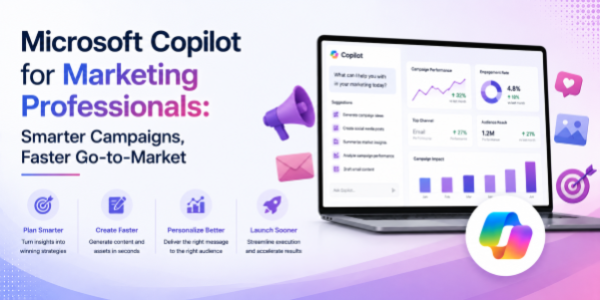
Microsoft Copilot for Marketing Professionals: Smarter Campaigns, Faster Go-to-Market
About the Course:
This 90-minute professional course offers marketing teams a structured, role-relevant introduction to Microsoft Copilot across the M365 suite. Participants will gain practical, working knowledge of how Copilot operates within Excel, Word, PowerPoint, Teams, and Outlook, along with a foundational understanding of how to design and deploy custom Copilot agents using Microsoft 365 Copilot Studio. The session is anchored in real marketing scenarios, campaign planning, content creation, performance analysis, brand reviews, go-to-market launches, agency collaboration, and recurring marketing operations. Learners will leave with a clear mental model of when to use Copilot, how to prompt it effectively for marketing use cases, and how to integrate it into their daily working rhythm to compress campaign timelines and elevate the quality of every output.
Why This Course?
Marketing functions sit at the intersection of data, creativity, and storytelling, exactly where Microsoft Copilot delivers the highest impact. However, organisations rolling out Copilot to marketing teams consistently report a sharp gap between licence adoption and actual usage. Most marketers are unsure how to apply Copilot to their specific workflows, what prompts to use, or where it fits inside their campaign and content cycles. This course closes that gap. It delivers a focused, marketing-led walkthrough that translates AI capabilities into clear, repeatable habits across the exact tools and tasks marketing teams already own.
Why Now?
AI literacy is fast becoming a baseline expectation for modern marketing professionals, comparable to how marketing analytics, SEO, and martech fluency became standard in the previous decade. Enterprises are investing heavily in Copilot licences, and marketing leaders are increasingly expecting their teams to compress go-to-market cycles, automate manual workflows, raise creative output, and free up bandwidth for high-value strategic work. Acting now offers a clear first-mover advantage: establish AI fluency in one of the most output-intensive functions in the organisation, position yourself as a forward-thinking marketer, and stay ahead of the steep learning curve that will soon become a baseline hiring expectation.
Course Objectives:
Upon successful completion of this course, participants will be able to:
- Apply Copilot in Excel to analyse campaign performance, channel data, marketing funnels, and budget tracking through natural-language prompts.
- Use Copilot in Word to draft and refine creative briefs, blogs, ad copy, emailers, social posts, landing-page content, and PR notes.
- Construct marketing-ready PowerPoint decks, campaign pitches, brand reviews, GTM presentations, and performance updates from outlines, Word documents, or short prompts.
- Leverage Copilot in Teams to summarise creative review meetings, capture decisions, and track action items across stakeholders and agencies.
- Manage marketing email volume in Outlook through Copilot-powered drafting, summarisation, and prioritisation across internal teams, vendors, and partners.
- Design and configure a basic custom Copilot agent in Microsoft 365 Copilot Studio for a defined marketing workflow.
Who is the Target Audience?
- Marketing professionals across brand, content, performance, digital, social, product marketing, and PR.
- Marketing managers, team leads, and campaign owners are responsible for calendars, budgets, and creative reviews.
- Content writers, copywriters, designers, social media managers, and email marketers.
- Marketing analysts, growth and ops teams running channel performance, dashboards, and reporting.
- CMOs, marketing heads, and L&D / enablement leaders are evaluating AI upskilling content for the function.
Basic Knowledge:
- Functional understanding of core marketing workflows (campaigns, content, performance, GTM, brand).
- Working familiarity with the Microsoft 365 suite (Excel, Word, PowerPoint, Teams, Outlook).
- Active access to a Microsoft 365 account with a Copilot licence is strongly recommended for hands-on practice.
- No prior experience with artificial intelligence, machine learning, or programming is required.
Introduction to AI in Modern Marketing
- The evolution of AI-assisted marketing
- How Copilot works across:
- Excel.
- Word.
- PowerPoint.
- Teams.
- Outlook.
- Copilot Studio.
- High-impact marketing use cases:
- Campaign planning.
- Content creation.
- Performance analysis.
- Brand reviews.
- GTM launches.
- Stakeholder collaboration
- Understanding AI strengths, limitations, and human oversight
Copilot in Excel for Campaign Analytics & Marketing Reporting
- AI-assisted campaign analysis
- Funnel and conversion analysis
- Budget tracking and ROI reporting
- Channel performance comparison
- Trend identification and audience insights
- Building dashboards and pivot summaries
- Automating recurring reporting workflows
Copilot in Word for Content Creation & Marketing Communication
- Drafting creative briefs
- Writing blogs and landing-page copy
- Creating ad copy and email campaigns
- Generating social media content
- Refining tone, messaging, and brand alignment
- Summarising campaign and brand documents
Copilot in PowerPoint for GTM & Brand Presentations
- Creating presentations from prompts or Word documents
- Structuring GTM and campaign decks
- Building executive-friendly performance presentations
- Transforming marketing data into visual narratives
- Designing concise and persuasive presentations
Copilot in Teams & Outlook for Marketing Collaboration
- Copilot in Teams:
- Creative review meeting summarisation.
- Capturing feedback and approvals.
- Tracking campaign action items.
- Reviewing discussions quickly.
- Copilot in Outlook:
- Drafting stakeholder emails.
- Summarising long email threads.
- Prioritising campaign communication.
- Managing agency and vendor coordination.
- Marketing Scenarios:
- Campaign review meetings.
- Agency coordination.
- Cross-functional launch discussions.
- Stakeholder updates. Approval workflows.
Introduction to Microsoft 365 Copilot Studio for Marketing Workflows
- What is Microsoft 365 Copilot Studio?
- Understanding custom Copilot agents
- Marketing automation opportunities
- Creating workflow-specific AI assistants
- Connecting prompts, documents, and campaign processes
- Governance and brand-consistency considerations
Best Practices, Governance & Responsible AI in Marketing
- Validating AI-generated content
- Maintaining brand tone and messaging consistency
- Avoiding inaccurate or misleading outputs
- Prompt consistency techniques
- Human review and approval responsibilities
- Responsible AI use in customer-facing communication
Final Recap & Q&A
- Use Copilot confidently across Microsoft 365 marketing workflows
- Accelerate campaign planning and content creation
- Improve reporting and stakeholder communication
- Build marketing presentations and GTM decks faster
- Streamline collaboration across teams and agencies
- Understand the fundamentals of custom Copilot agents