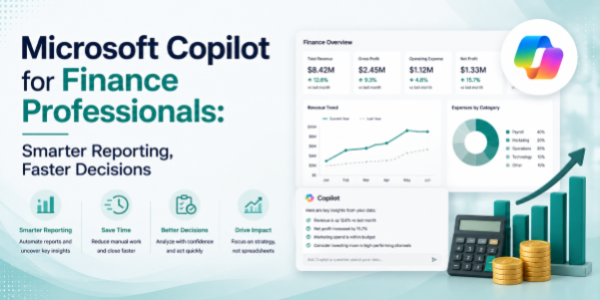
Microsoft Copilot for Finance Professionals: Smarter Reporting, Faster Decisions
About the Course:
This 90-minute professional course offers finance teams a structured, role-relevant introduction to Microsoft Copilot across the M365 suite. Participants will gain practical, working knowledge of how Copilot operates within Excel, Word, PowerPoint, Teams, and Outlook, along with a foundational understanding of how to design and deploy custom Copilot agents using Microsoft 365 Copilot Studio. The session is anchored in real finance scenarios, month-end close, FP&A reporting, variance analysis, board presentations, audit communication, and recurring finance operations. Learners will leave with a clear mental model of when to use Copilot, how to prompt it effectively for finance use cases, and how to integrate it into their existing reporting and review cycles.
Why This Course?
Finance functions sit at the intersection of data, narrative, and decision-making, exactly where Microsoft Copilot delivers the highest impact. However, organisations rolling out Copilot to finance teams consistently report a sharp gap between licence adoption and actual usage. Most finance professionals are unsure how to apply Copilot to their specific workflows, what prompts to use, or where it fits inside their close, reporting, and review cycles. This course closes that gap. It delivers a focused, finance-led walkthrough that translates AI capabilities into clear, repeatable habits across the exact tools and tasks finance teams already own.
Why Now?
AI literacy is fast becoming a baseline expectation for modern finance professionals, comparable to how advanced Excel, Power BI, and ERP fluency became standard in the previous decade. Enterprises are investing heavily in Copilot licences, and finance leaders are increasingly expecting their teams to compress reporting cycles, automate manual workflows, and elevate the quality of insights delivered to the business. Acting now offers a clear first-mover advantage: establish AI fluency in the most data-intensive function in the organisation, position yourself as a forward-thinking finance partner, and stay ahead of the steep learning curve that will soon become an unspoken hiring standard.
Course Objectives:
Upon successful completion of this course, participants will be able to:
- Apply Copilot in Excel to perform financial analysis, generate variance commentary, and accelerate MIS preparation through natural-language prompts.
- Use Copilot in Word to draft, summarise, and refine board memos, audit notes, finance policies, and management commentary.
- Construct finance-ready PowerPoint presentations, board decks, investor updates, and MIS reports from outlines, Word documents, or short prompts.
- Leverage Copilot in Teams to summarise finance review meetings, capture decisions, and track action items across stakeholders.
- Manage finance-related email volume in Outlook through Copilot-powered drafting, summarisation, and prioritisation.
- Design and configure a basic custom Copilot agent in Microsoft 365 Copilot Studio for a defined finance workflow.
Who is the Target Audience?
- Finance professionals across FP&A, controlling, accounting, treasury, internal audit, and tax.
- Finance managers, team leads, and business finance partners are responsible for reporting and reviews.
- Chartered Accountants, CPAs, CMAs, finance MBAs, and aspiring finance leaders.
- Shared services and finance operations teams handling recurring close, reconciliation, and reporting cycles.
- CFOs, finance heads, and finance L&D teams are evaluating AI upskilling content for their function.
Basic Knowledge:
- Functional understanding of core finance workflows (MIS, P&L, balance sheet, budgeting, variance, audit).
- Working familiarity with the Microsoft 365 suite (Excel, Word, PowerPoint, Teams, Outlook).
- Active access to a Microsoft 365 account with a Copilot licence is strongly recommended for hands-on practice.
- No prior experience with artificial intelligence, machine learning, or programming is required.
Introduction to AI in Modern Finance
- The evolution of finance operations in the AI era
- How Copilot works across:
- Excel.
- Word.
- PowerPoint.
- Teams.
- Outlook.
- Copilot Studio.
- High-impact finance use cases:
- Month-end close.
- MIS reporting.
- Variance analysis.
- Board reporting.
- Audit preparation.
- Budget reviews
- Understanding AI limitations and the importance of financial oversight
Copilot in Excel for Financial Analysis & MIS Reporting
- AI-assisted variance analysis
- Generating financial formulas and calculations
- Budget vs actual analysis
- Trend identification and anomaly detection
- Creating pivot summaries and management reports
- Automating repetitive reporting activities
Copilot in Word for Finance Documentation & Commentary
- Drafting management commentary
- Creating audit responses and explanations
- Summarising finance policies
- Preparing board memos and executive notes
- Refining tone and structure for leadership communication
Copilot in PowerPoint for Board & Investor Reporting
- Creating presentations from Word documents
- Generating executive summaries automatically
- Designing finance-ready slide structures
- Transforming spreadsheet insights into visual storytelling
- Improving presentation clarity for stakeholders
Copilot in Teams & Outlook for Finance Collaboration
- Meeting summarisation
- Capturing decisions and action items
- Tracking follow-ups
- Reviewing finance discussions quickly
Introduction to Microsoft 365 Copilot Studio for Finance Workflows
- What is Microsoft 365 Copilot Studio?
- Understanding custom Copilot agents
- Common finance automation opportunities
- Building workflow-specific AI assistants
- Connecting prompts, documents, and business logic
- Governance and approval considerations
Best Practices, Governance & Responsible AI in Finance
- Human review and validation
- Financial data sensitivity and confidentiality
- Avoiding hallucinations and inaccurate outputs
- Prompt consistency and documentation
- Governance and audit considerations
- Establishing AI-assisted finance workflows safely